Short Introduction on Menu:
Menus allow the steering of the custom ui by listing all the menu items which contain the
functionalities of the custom ui. Menus also allow to sort all functionalities which are logically
connected to each other by combining them under a respective menu. It is possible to create
a nested menu structure and every menu can have an infinite amount of submenus.
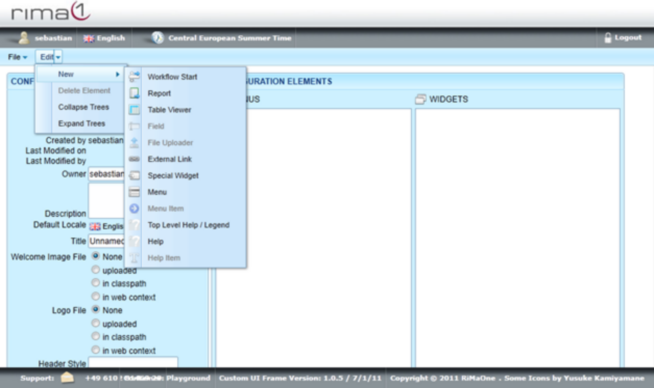
To create a menu open up the Edit menu, select New and click on Menu.
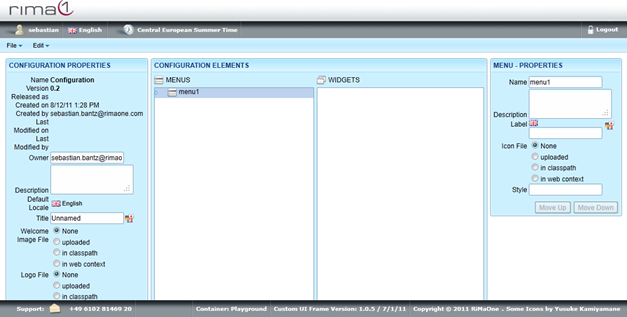
Click on the newly created Menu in Menus to edit Name, Description, Label, Icon File and Style.
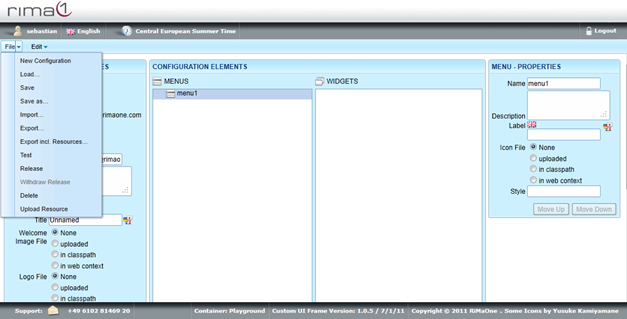
Remember to save all your changes in the File menu with Save.