Short Introduction on Workflow Start:
Workflow Starts connect action point templates in TrackingOne with the custom ui. Workflow Starts
need to be linked to the action point template they are supposed to start and to the menu item which
is supposed to steer them. By creating fields and file uploader for the workflow start it is possible to
transfer data or parameters to the action points.
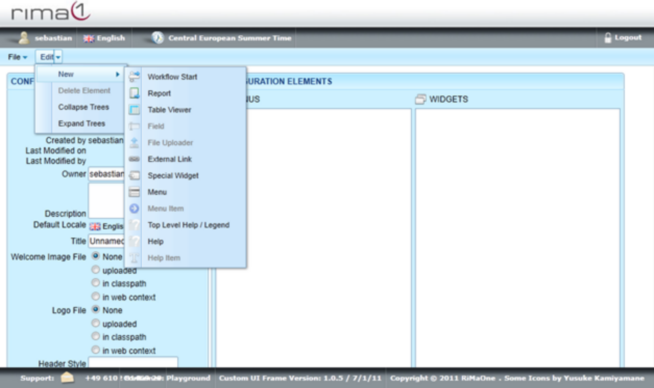
To create workflow start open up the Edit menu, select New and click on Workflow Start.
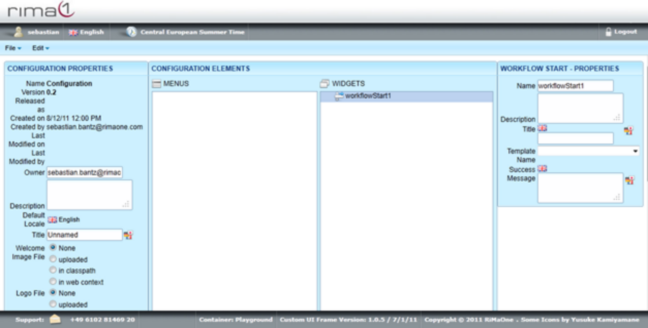
Click on the newly created Workflow Start in Widgets to edit Name, Description, Title, Template Name
and Success Message.
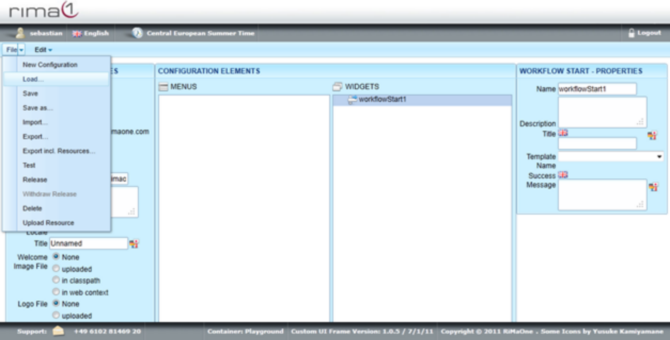
Remember to save all your changes in the File menu with Save.